The notebook
for the agent era.

Plain Markdown in a folder you own. A beautiful editor for you. Native, scoped seats for Claude Code, Codex, and any agent that speaks MCP.

In motion

Watch it work.

Four scenes from one real vault, recorded live in the app. What you see is the screen itself, frame for frame.

One brief. A whole course. An empty section, one typed brief, and a frontier model builds a ten-note thermodynamics course: index, modules, equations, diagrams. It stages as one reviewable set; Accept 10, and the notebook fills.
Answers with receipts. Pick a scope, ask a question. A real run answers from your actual notes and names every one it used.
Plain Markdown, rich blocks. Math typesets as you write. Links autocomplete. Checklists come from a slash. Everything lands in your folder as text.
Step back. The graph view, live: the vault blooms as a constellation, the course from act one hangs as its own cluster, and finding a note lights the path to it.

Connect

Point Claude Code at it.
Or Codex. Or both.

Ori Notebook is native ground for the agents you already run. Open the Ori panel, pick the installed CLI, grant it a section: it works from your real notes and drafts back into your review tray.
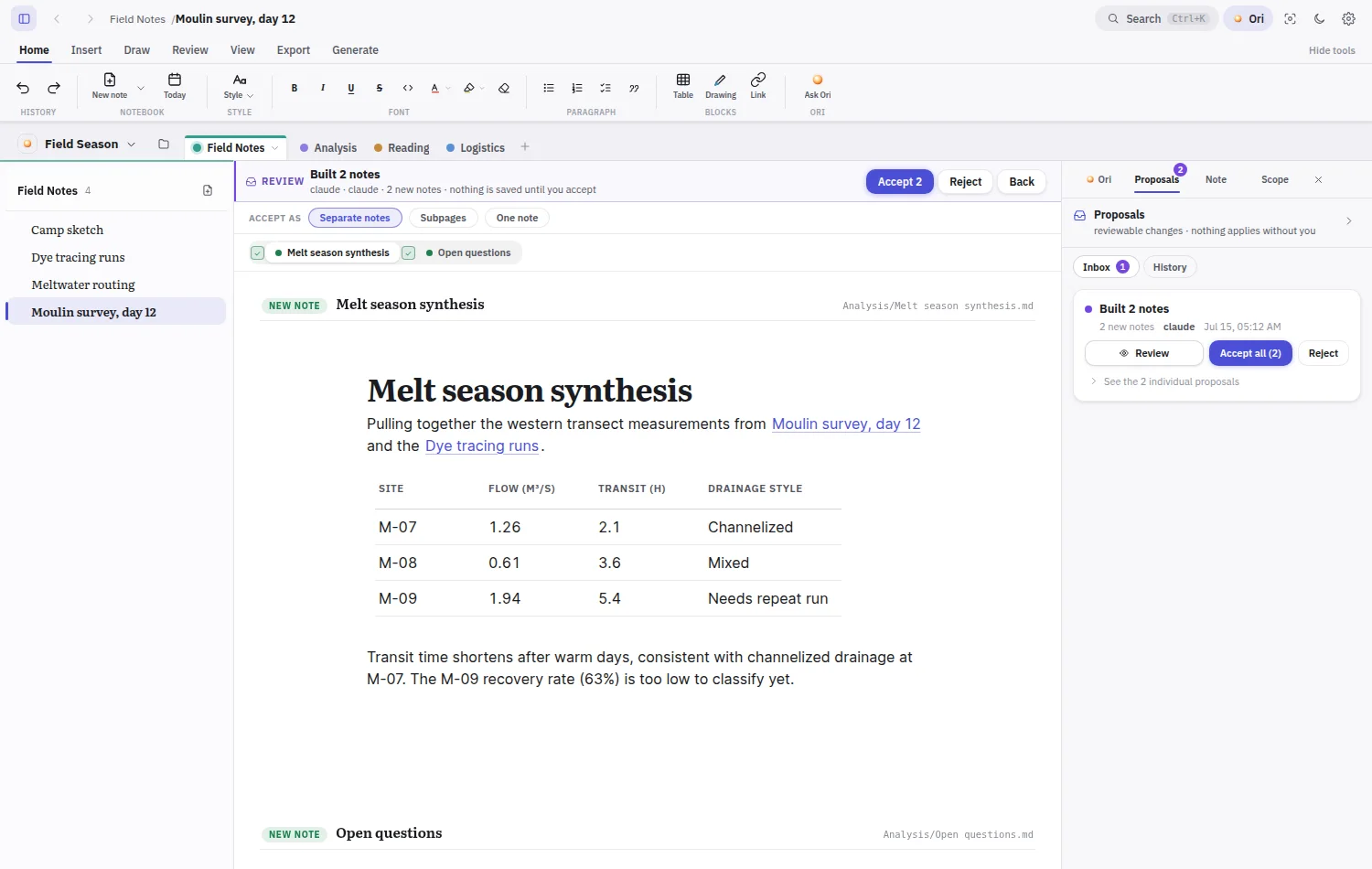
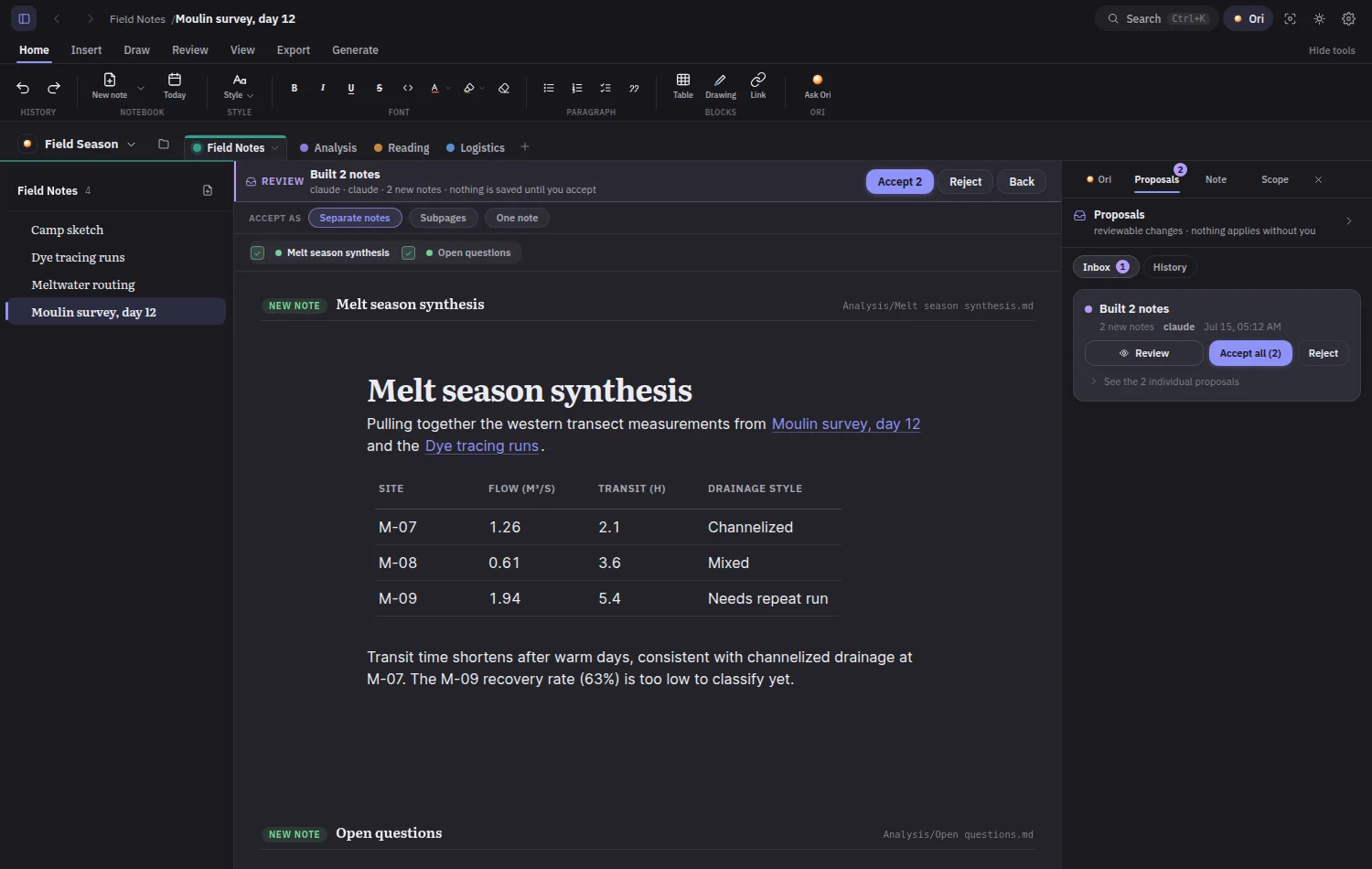
The review tray in the app holding the staged notes the agent drafted, with Accept and Reject controls The same review tray in dark mode
The run lands here: staged notes and diffs, yours to apply.

Your subscription is the brain

A signed-in Claude Code or Codex install is the whole setup. Ori finds the CLI, runs it, and streams the work live. No API keys unless you want to bring one.

Context without copy-paste

The agent reads your actual notes through MCP: exact blocks, link graphs, full-text search. You pick the sections it sees; it cites what it used.

Sandboxed by design

Spawned CLIs get their native write paths withheld and one write verb: propose. Drafts land in a review tray as diffs, applied only when you say so.

Or bring any MCP client.

Two bundled servers: read-only with ten tools, and proposal with exactly one write verb. Point any agent at your vault folder and it speaks the same protocol the app does.

The full MCP surface
{
  "mcpServers": {
    "ori": {
      "command": "node",
      "args": ["ori-notebook-mcp-proposal.mjs"],
      "env": { "ORI_NOTEBOOK_VAULT_ROOT": "~/Notes" }
    }
  }
}

Yours

A folder on your disk,
all the way down.

The vault is any folder you pick. Every note is a plain Markdown file that opens anywhere. The rendered page and the file on disk are the same thing, readable by you, addressable by agents.
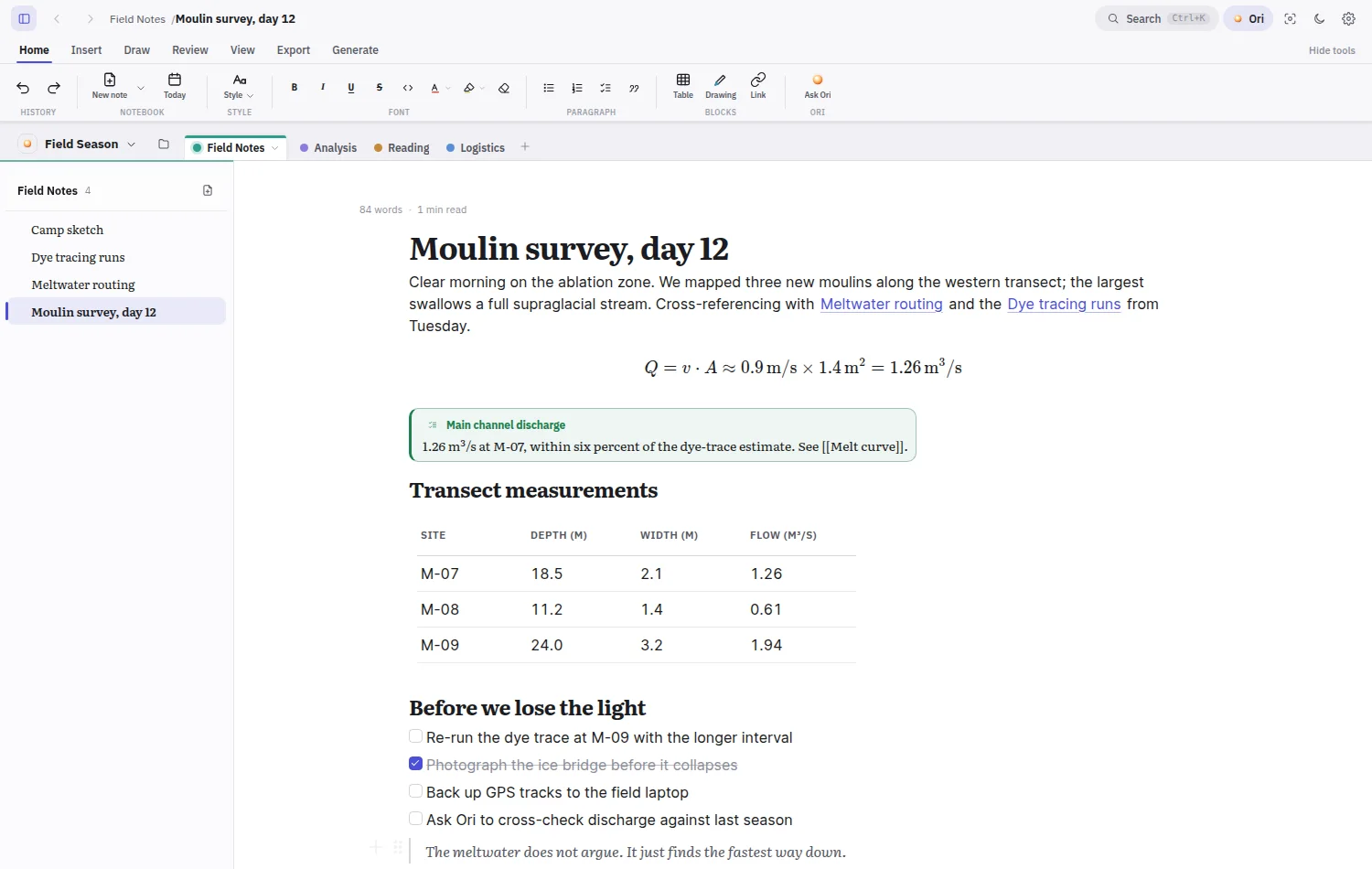
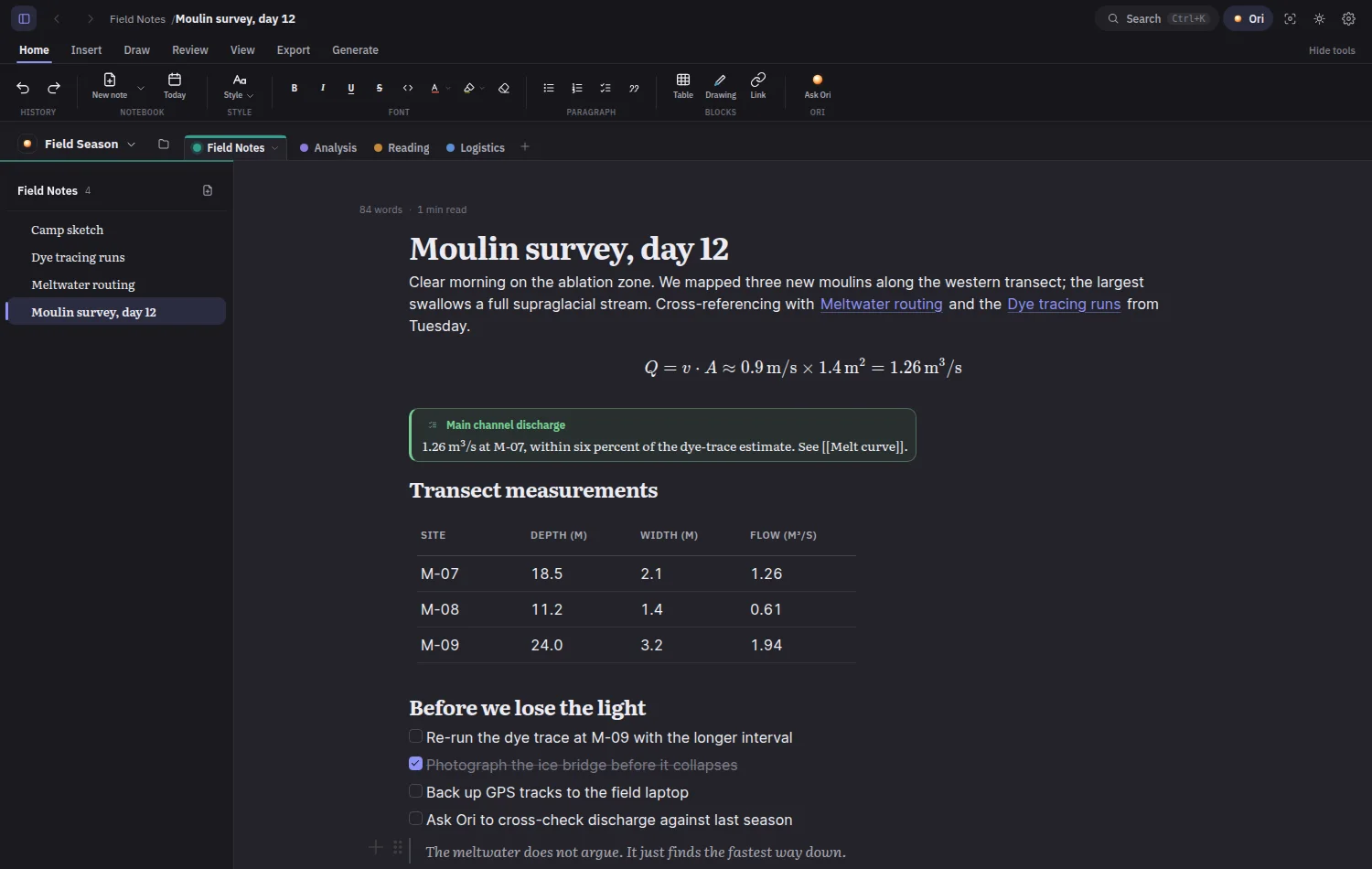
What you see
The rendered note: serif heading, typeset equation, tinted callout and a clean table The same rendered note in dark mode

Offline, entirely

Everything works with the network cable cut. Nothing requires a server.

No telemetry, no account

The app phones nobody. What you write is not our business.

Any folder is a vault

Point it at a synced folder, a git repo, a USB stick. Your call.

Files outlive the app

Plain Markdown opens in any editor, today and in twenty years.

The file format, in full

For your hands

Rich when you need it.
Plain text underneath.

Everything below is the real editor rendering one small field-research notebook. Charts read data from the note. Math typesets as you write. And every block lands in your folder as Markdown you can open anywhere.
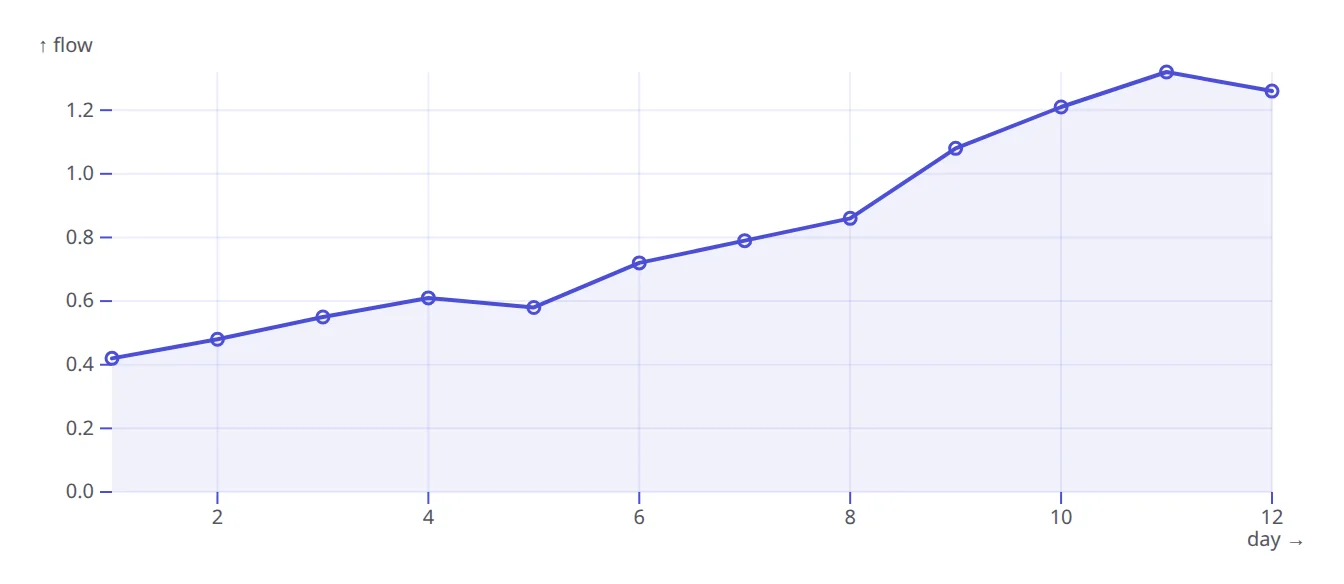
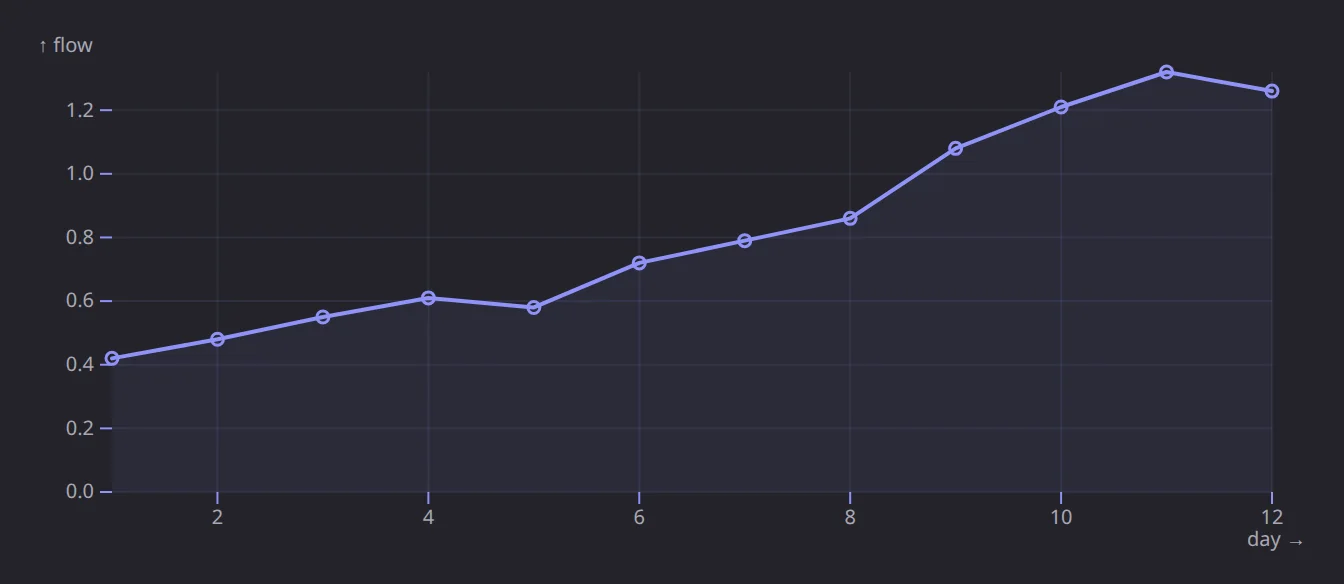
A rendered line chart of daily discharge, drawn from data in the note A rendered line chart of daily discharge, drawn from data in the note, dark theme
Charts
A typeset equation for channel discharge A typeset equation for channel discharge, dark theme
Math
A rendered flowchart of meltwater routing A rendered flowchart of meltwater routing, dark theme
Diagrams
A tinted result callout summarizing a measurement A tinted result callout summarizing a measurement, dark theme
Callouts
An embedded spreadsheet with live formulas An embedded spreadsheet with live formulas, dark theme
Sheets
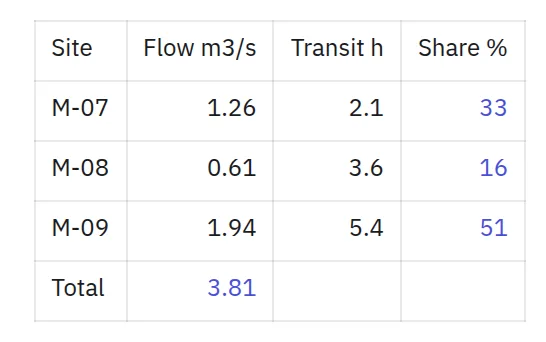
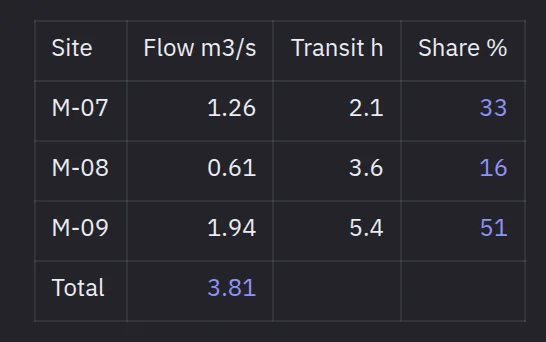
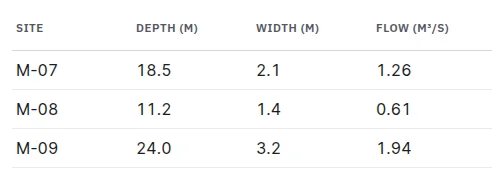
A clean table of transect measurements A clean table of transect measurements, dark theme
Tables
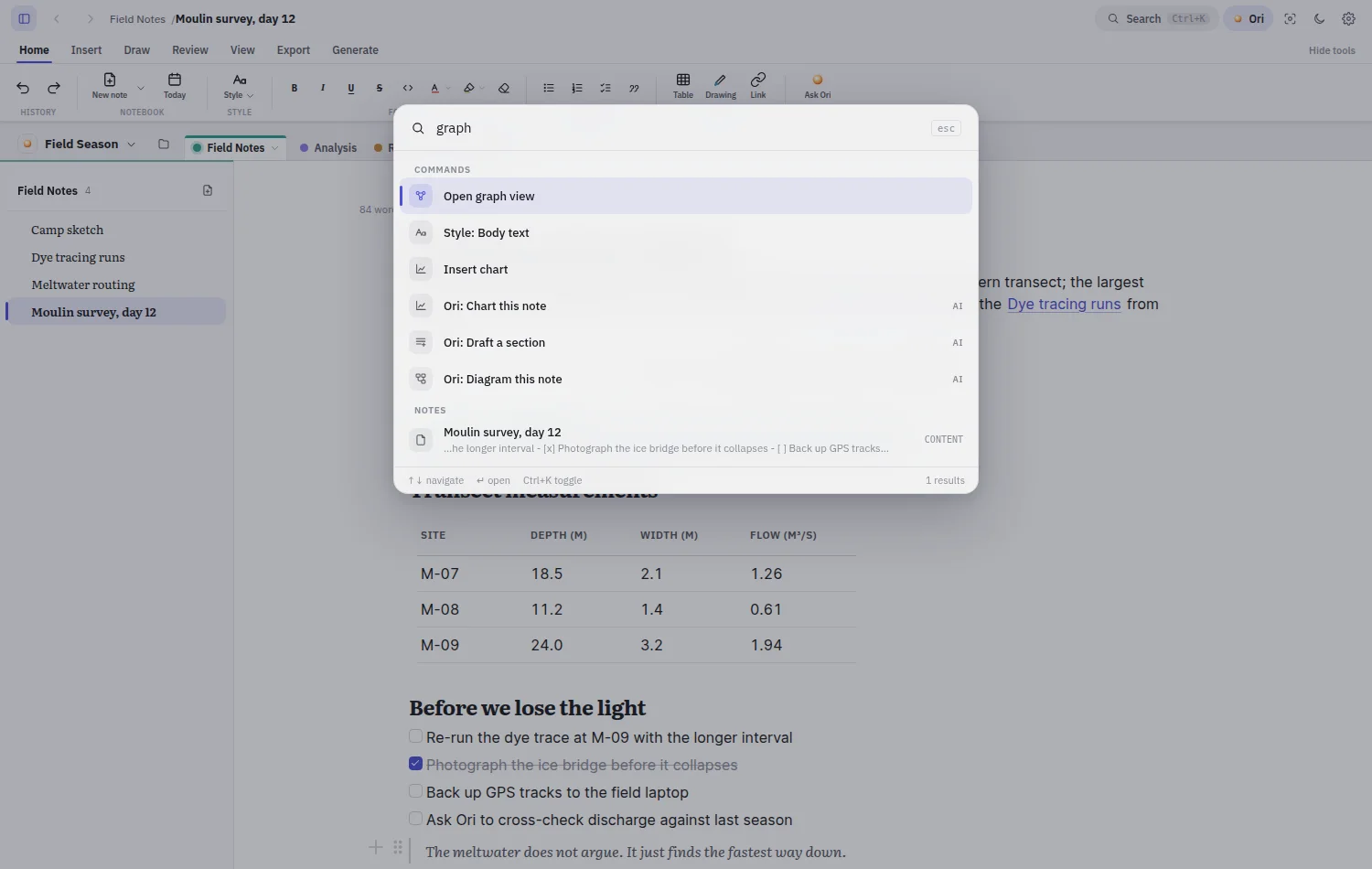
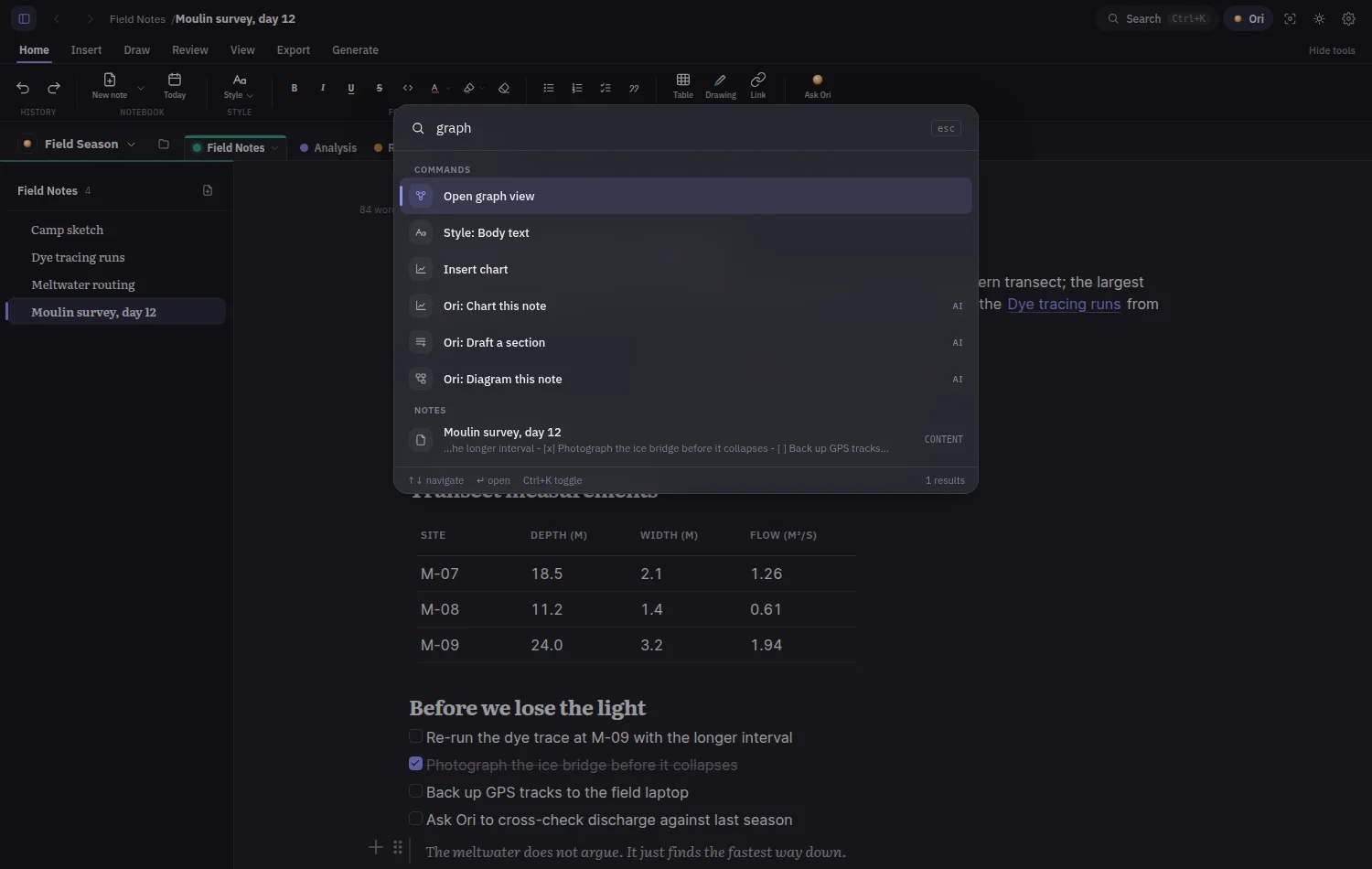
The command palette over the editor: commands, AI actions like Ori diagram this note, and full-text results from notes The command palette over the editor: commands, AI actions like Ori diagram this note, and full-text results from notes, dark theme
One keystroke finds anything
  • Tasks
  • Code
  • Drawings
  • Wiki-links
  • Backlinks
  • Daily notes
Part of the Ori family. Ori, the project this notebook takes its name from, is a full product of its own. It plugs into this notebook too. On its way.

Get Ori Notebook

Get in early.

Ori Notebook is in closed beta. An invite code unlocks the first run, so there is no public download yet. Desktop already runs on Windows and Linux; web and mobile follow on the same core.

Closed beta · Invite only

  • Desktop The full notebook, native. Your vault is any folder you pick.
    Windows · Linux · macOS next In the beta
  • Web The same notebook in the browser, on the same core.
    Any modern browser Next
  • Mobile Capture on the go, read anywhere, phone and tablet alike.
    iOS · Android After web

Public downloads open once the builds are signed and the beta widens. The roadmap has the full picture.